Add a popup to your website
Build a popup form, choose when visitors see it, and put it on your website with one script tag.
You will make a popup form, choose when visitors see it, and put it on your website with one script tag.
Before you start: you need a Poplitu account, and a website where you can add a line of HTML.
1. Start from a popup template
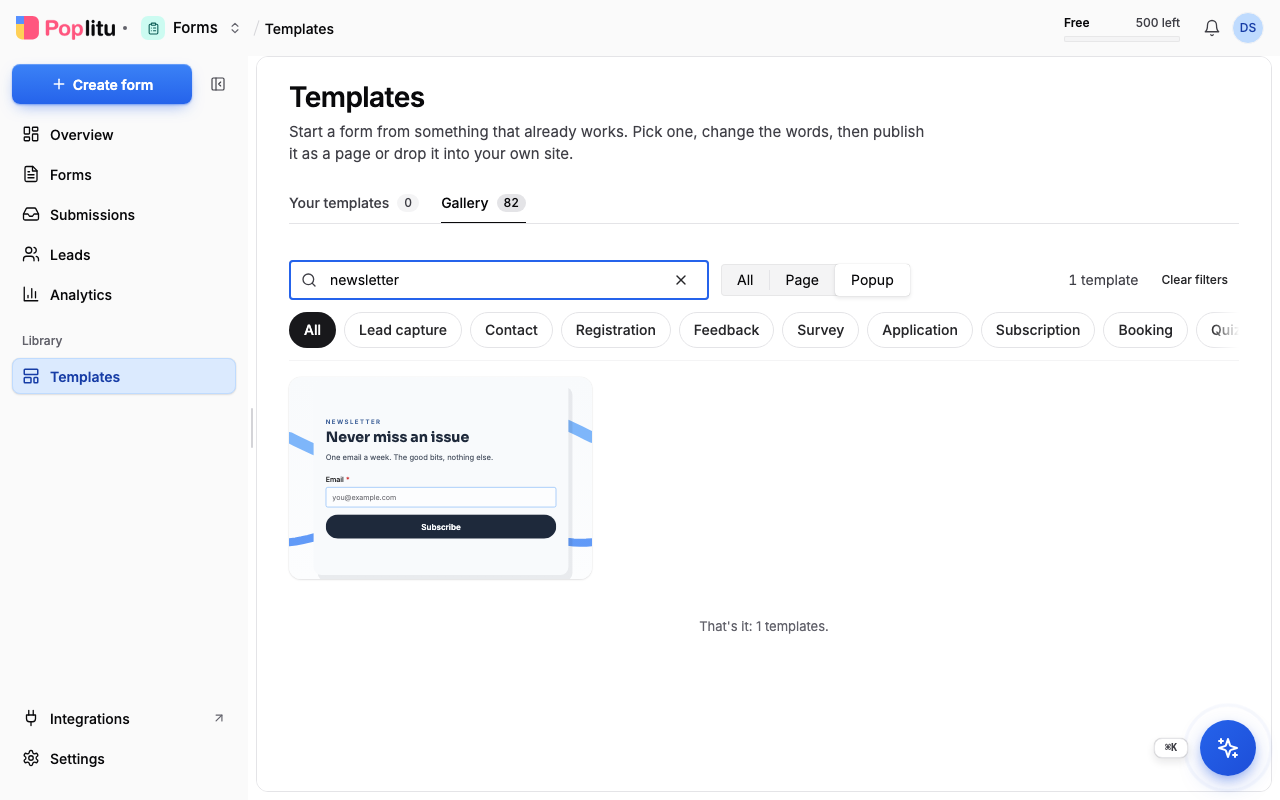
- In the dashboard, open Templates and choose Popup.
- Pick a template, for example a newsletter signup.
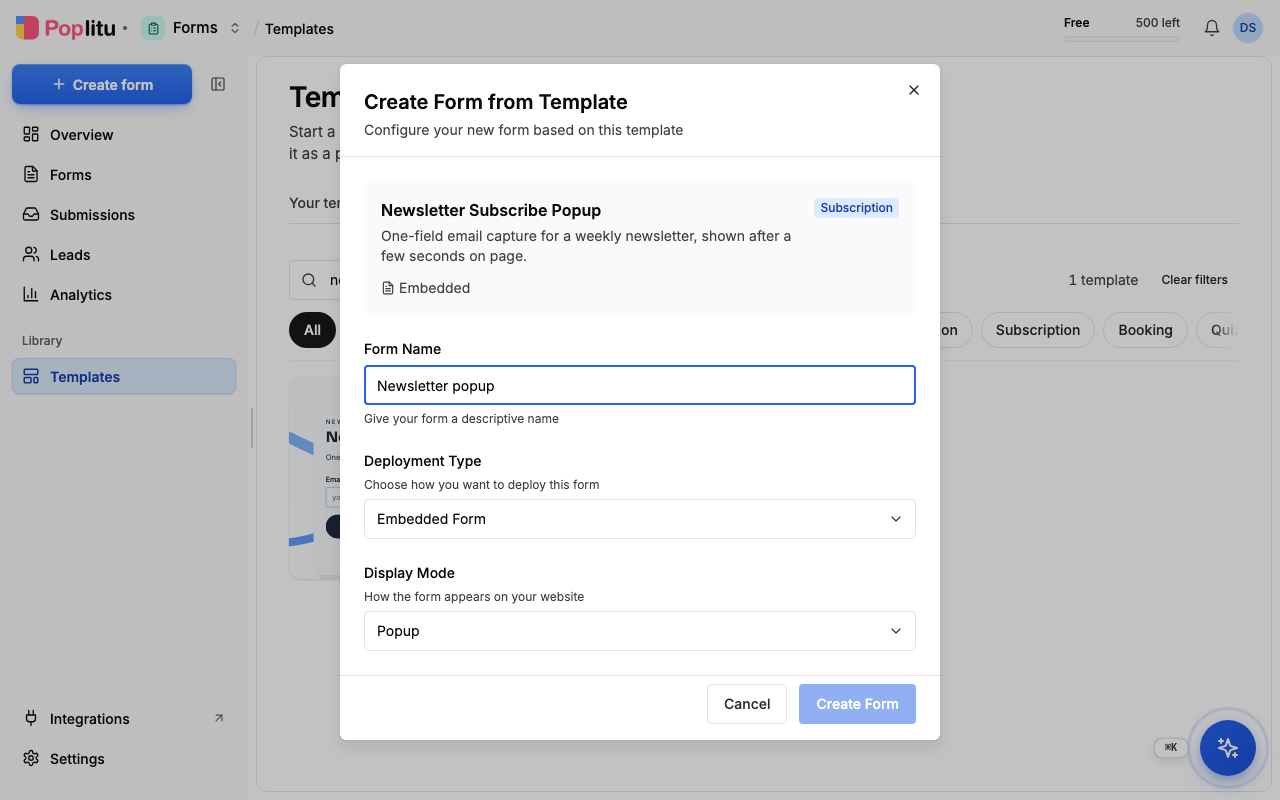
- In the dialog, choose Embedded Form, then a Display Mode: Popup (a centred box over the page), Slide-in (a small card in the bottom-right corner), Banner, Sidebar or Inline. Name it and create it.
2. Work through the four steps
An embedded form has four steps along the top of the builder: Template, Design, Where & When and Publish.
Design. Change the words and colours, as for any form.
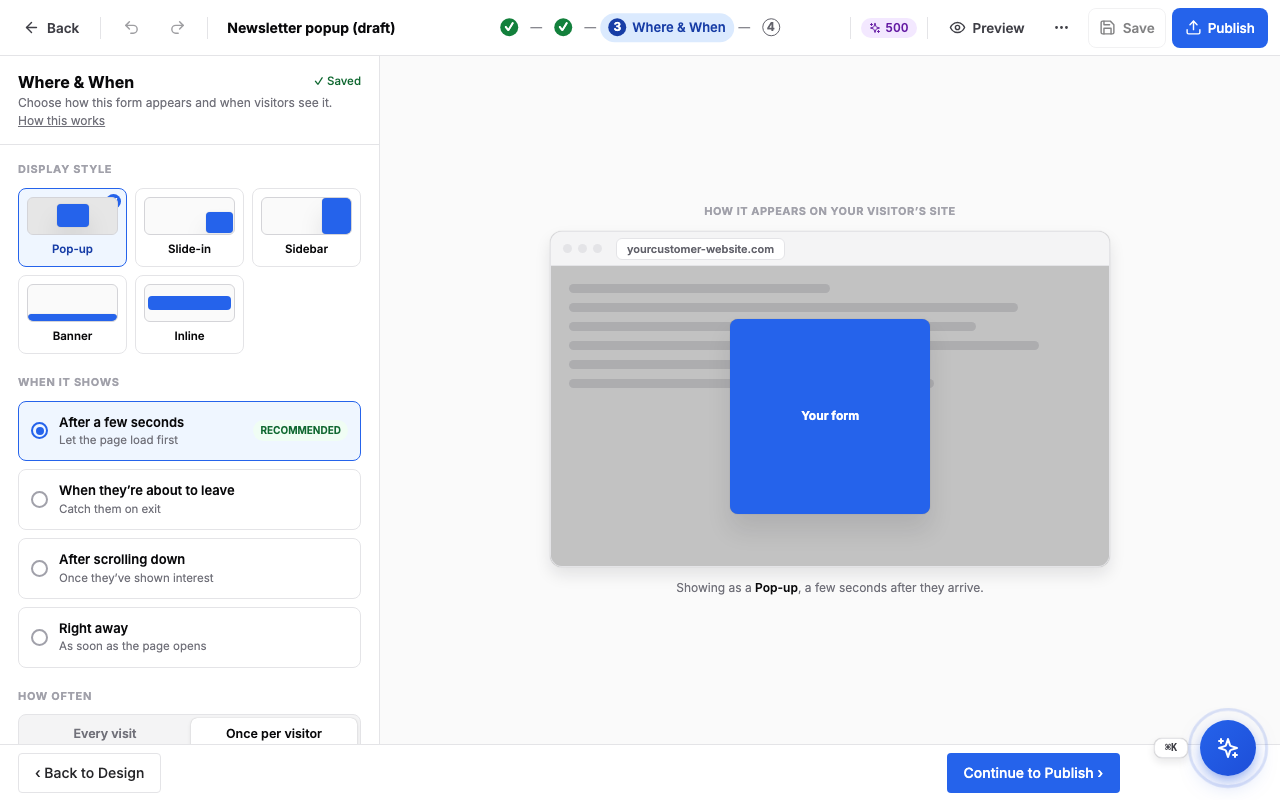
Where & When. Choose how the form appears and when visitors see it:
- Display style: Pop-up, Slide-in, Sidebar, Banner or Inline.
- When it shows: after a few seconds (recommended), when they are about to leave, after scrolling down, or right away.
- How often: every visit, or once per visitor.
- More targeting rules: the devices, the pages (only on pages containing, or never on pages containing, some text in the address), the country, the browser language, the operating system, where the visitor came from, and a schedule.
- For an inline form, Where on the page takes the CSS selector of the element the form should appear in.
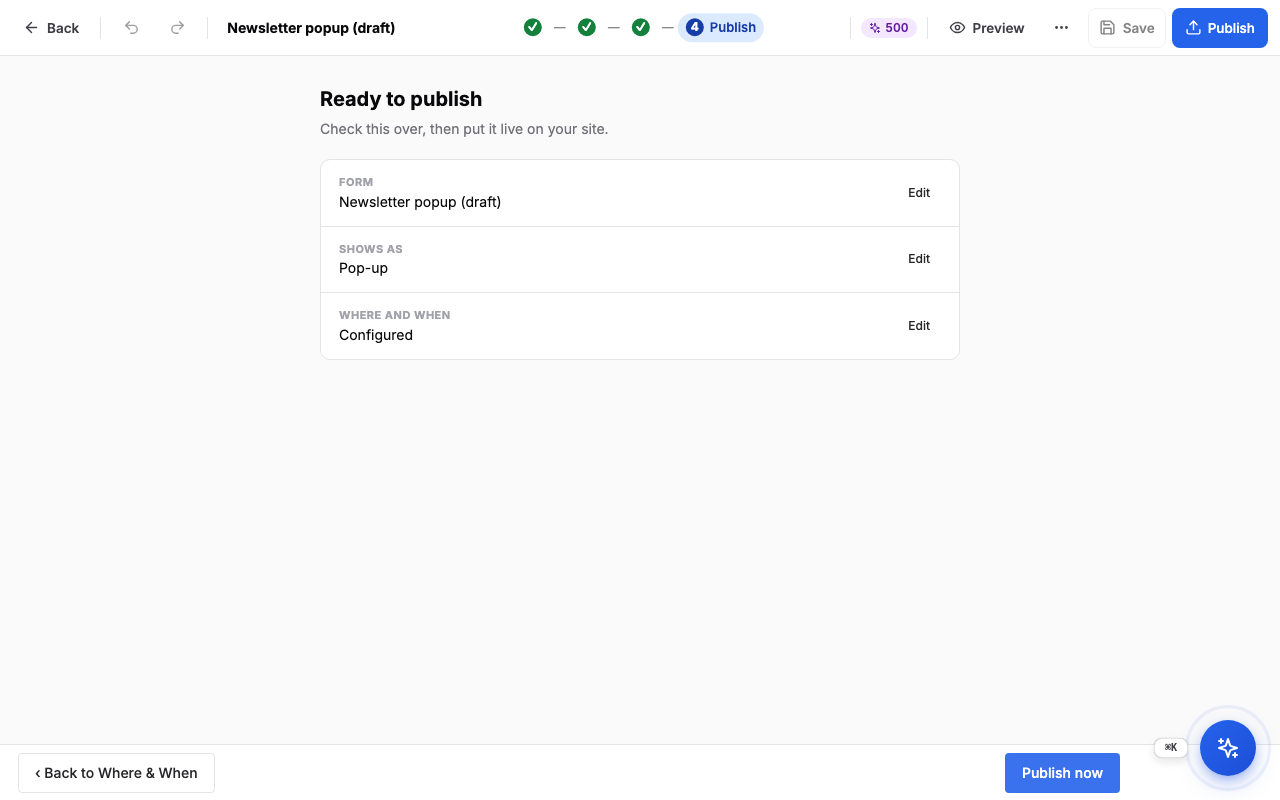
Publish. Check the summary (the form, how it shows, and where and when). If you have no embed key yet, choose Create my embed key. Then choose Publish now. The next screen says your form is live and shows the snippet to add to your site. It also offers to send new leads to a CRM; that is optional, and you can set it up later.
3. Put the script on your site
- Go to Console → Embed.
- If you have not made a key before, choose Generate embed key.
- Copy the snippet under Your embed snippet.
- Paste it into your site's HTML just before the closing
</body>tag.
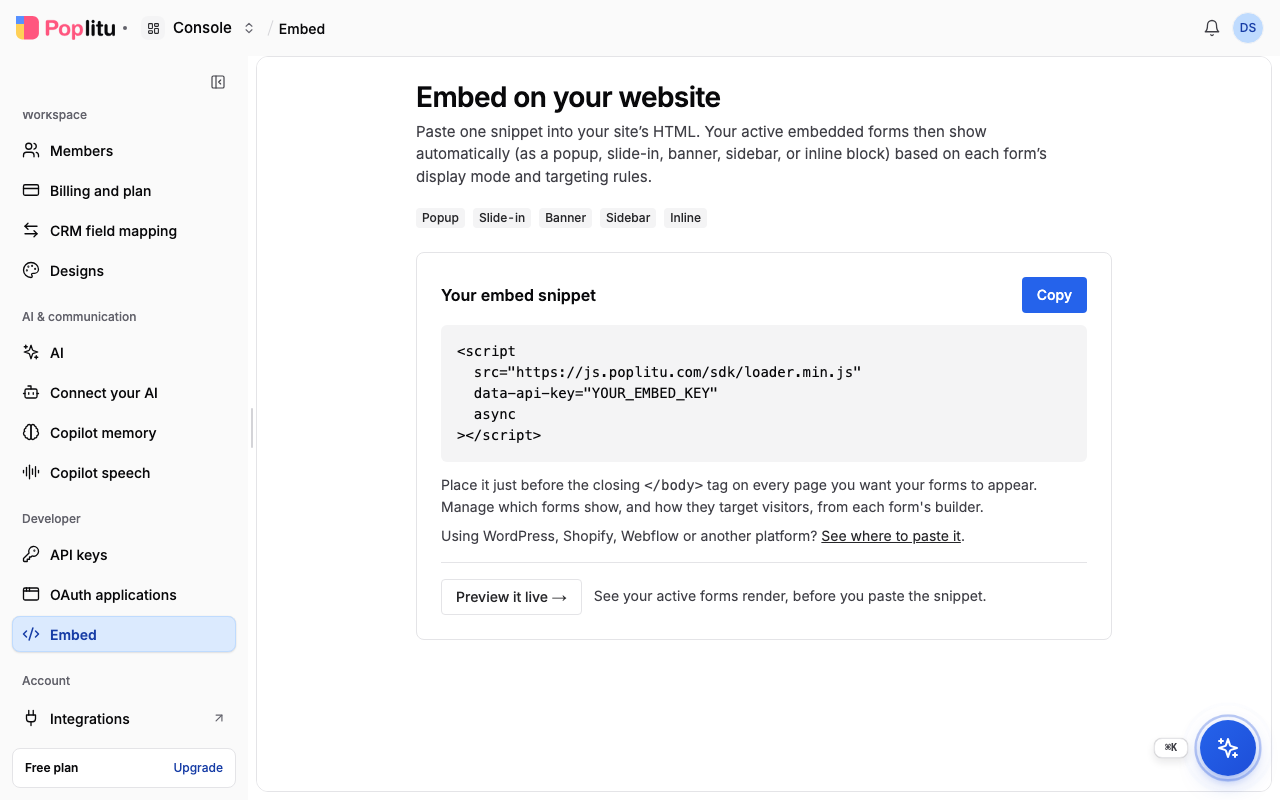
You paste it once. Every embedded form you publish later appears through the same snippet, so you never paste a new one.
The Embed page can also show you your active forms rendering, before you paste the snippet.
What you should see
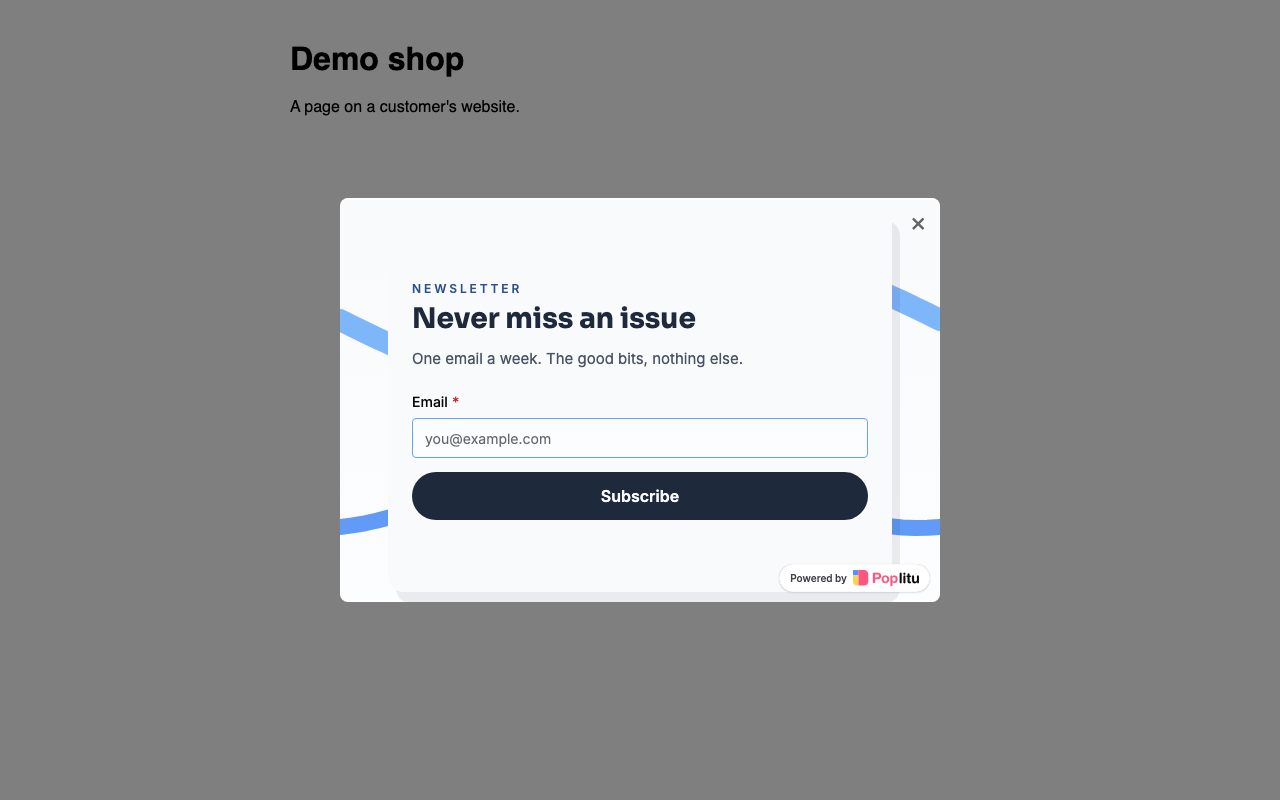
Open a page of your site. After the time you chose (three seconds by default) the popup appears.
If something is wrong
Next
Frequently asked questions
Do I need to paste a new snippet for every popup?
No. You paste the snippet once. Every embedded form you publish later appears through the same snippet.
Where do I paste the Poplitu script?
In your site's HTML just before the closing body tag. For WordPress, Shopify, Webflow, Wix and other platforms, the Install on your platform page has the steps.
When can a popup show?
After a few seconds (recommended), when a visitor is about to leave, after they scroll down, or right away.
Can I show a popup only once per visitor?
Yes. In the Where & When step, set How often to once per visitor, or to every visit.
Can I show a popup on some pages or in some countries only?
Yes. The more targeting rules let you choose devices, pages, country, browser language, operating system, where the visitor came from, and a schedule.