Start from a template
Browse ready-made form pages and popups, pick one, and make it yours in the builder.
A template is a finished form: the words, the fields and the design are already there. You change what you need and publish.
Find one
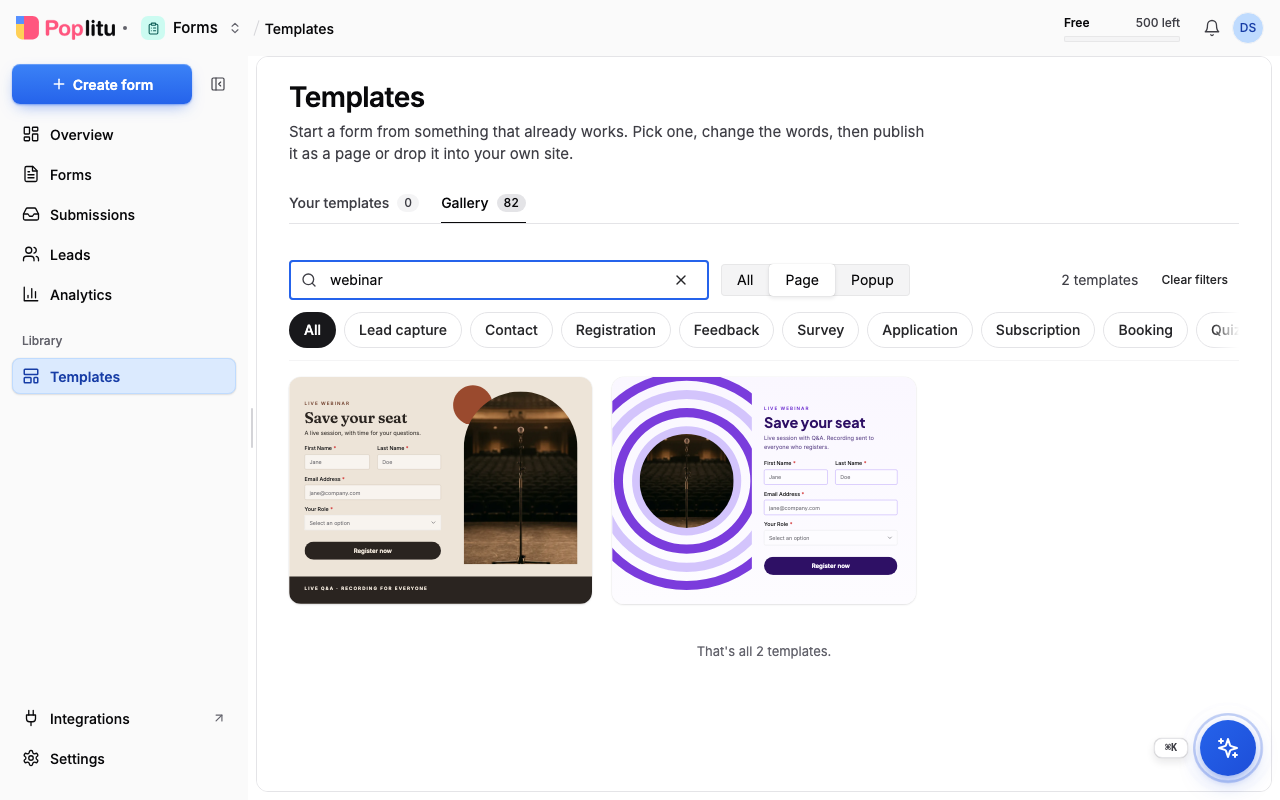
You can browse every template in the template gallery without an account. Inside Poplitu, open Templates in the dashboard.
- Search by name or by what it is for.
- Narrow the list to Page or Popup.
- Narrow it to a category: Lead capture, Contact, Registration, Feedback, Survey, Application, Booking, Subscription or Quiz.
Some templates come in several looks of the same form. They are separate cards, and the look is part of the name.
Make a form from it
- Choose a template.
- In Create Form from Template, give the form a name and check the workspace.
- Choose Standalone Form for a page of its own, or Embedded Form to put it on your website, and for an embedded form choose how it appears: Popup, Slide-in, Banner, Sidebar or Inline.
- Create it. The builder opens with your copy.
If you are not signed in, the gallery asks you to create an account first and brings you straight back to the same template.
Use a template inside the builder
You do not have to decide up front. In the builder, open the Templates panel in the sidebar.
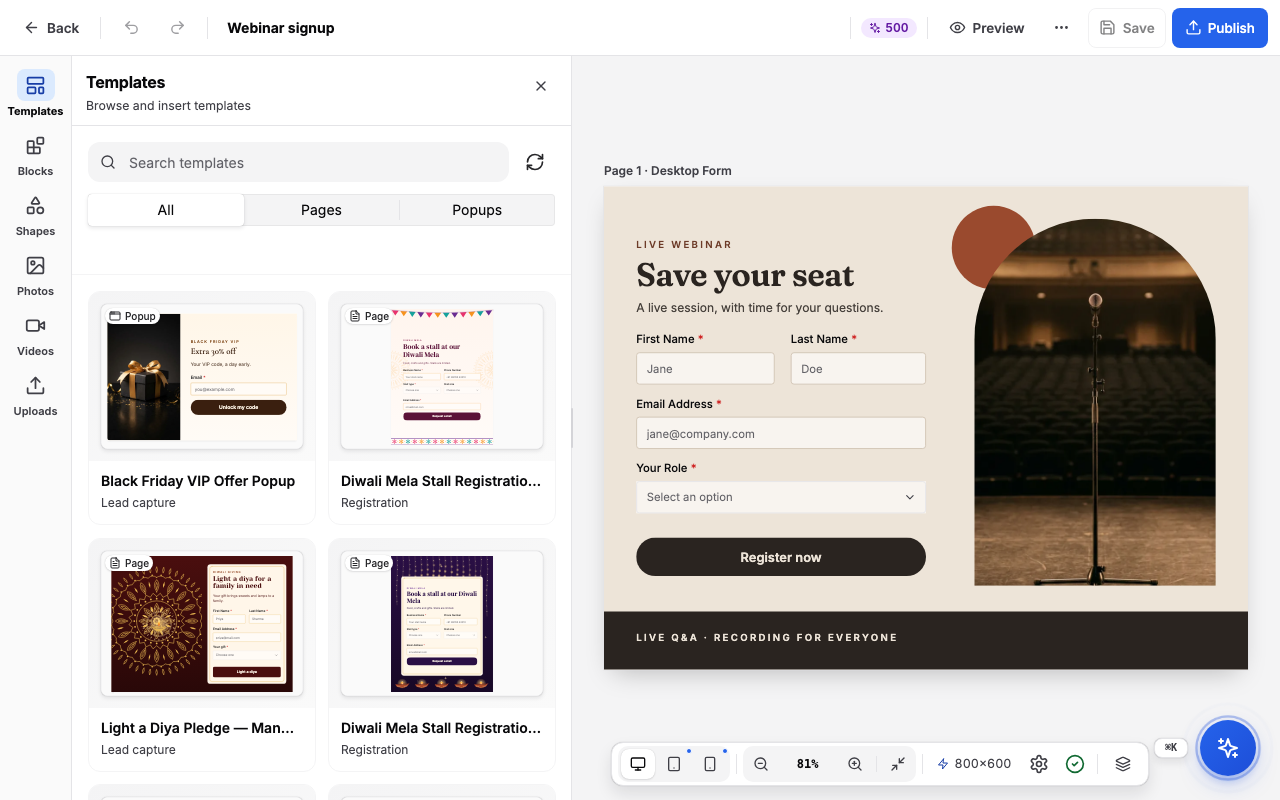
- Search, or narrow the list to Pages or Popups, or to a category.
- Point at a template and choose Add page to add it as a new page, or Replace to swap it in for the page you are on.
- A message confirms it. Choose Undo in that message if you change your mind.
Next
Frequently asked questions
Can I look at templates without an account?
Yes. You can browse every template in the template gallery without an account. When you choose one, you are asked to create an account and are brought back to the same template.
What kinds of templates are there?
Pages and popups. Categories are Lead capture, Contact, Registration, Feedback, Survey, Application, Booking, Subscription and Quiz.
Can I add a template to a form I am already building?
Yes. In the builder, open the Templates panel and choose Add page to add it as a new page, or Replace to swap it in for the page you are on. Choose Undo if you change your mind.