Collect leads with a form
Build a lead form from a template, publish it, and share the link. Then see every new lead in your dashboard.
You will make a form, publish it, and share its link. When someone fills it in and gives their details, such as an email address, they appear under Leads.
Before you start: you need a Poplitu account and a workspace.
1. Start from a template
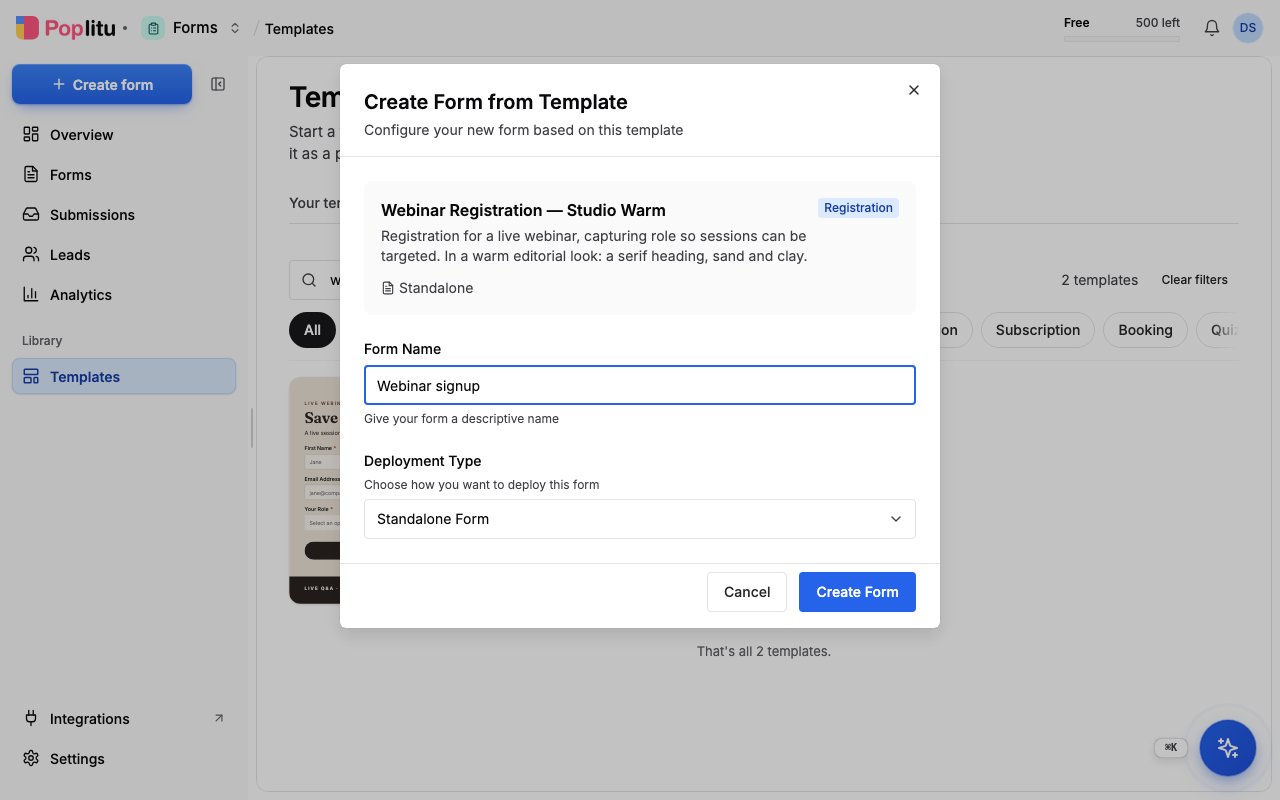
- In the dashboard, open Templates.
- Search for what you need, or narrow the list to a category such as Lead capture.
- Choose a template, and in the dialog pick Standalone Form (a separate page for the form), give it a name, and create it. The builder opens.
2. Make it yours
- Click any text to change the words.
- Select a block and use the panel on the right to change its colours, font and border.
- Add your logo from the Uploads panel.
- Use Preview in the top bar to see it the way your visitors will, on a desktop, a tablet and a phone.
3. Publish
Click Publish in the top bar. On the dashboard the form moves to Live.
4. Share the link
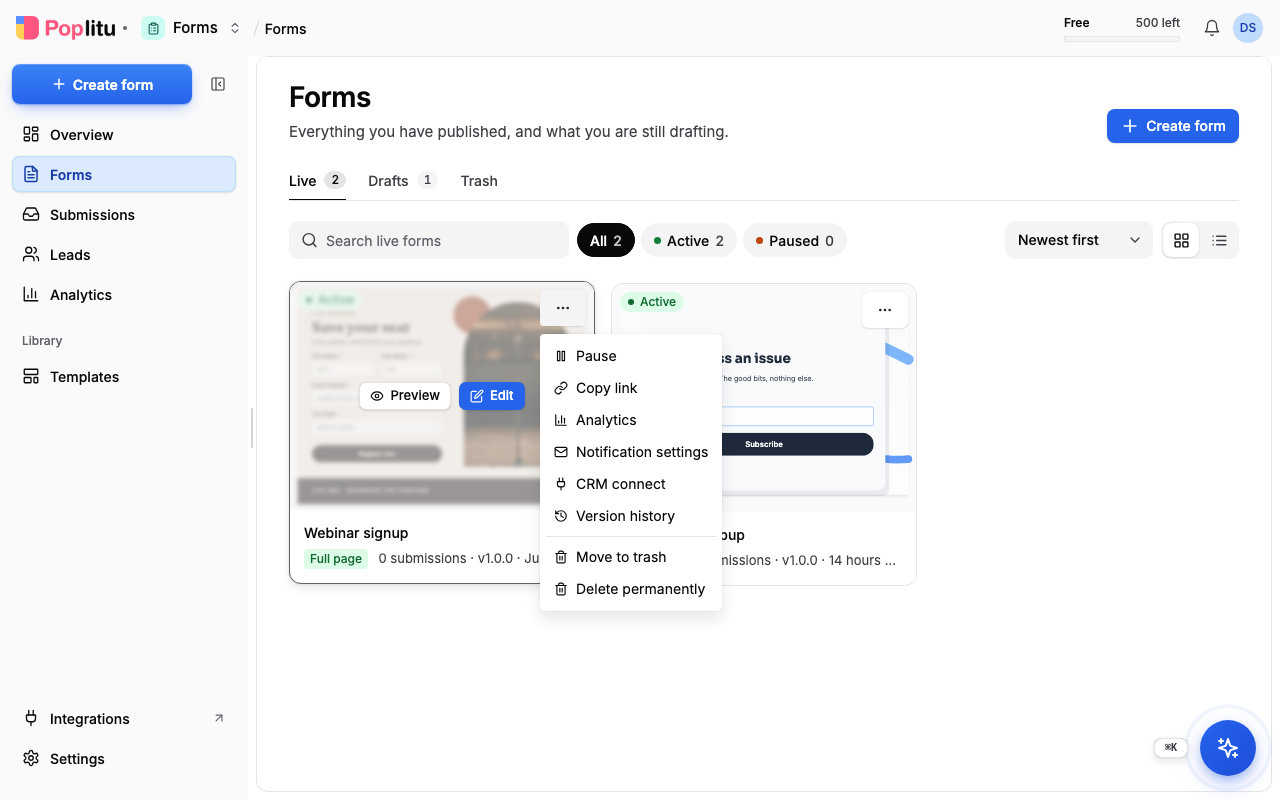
- On the dashboard, find the form under Live.
- Open the menu on its card (the three dots) and choose Copy link.
- Paste the link into an email, a message or a post. It looks like
https://www.poplitu.com/f/....
What you should see
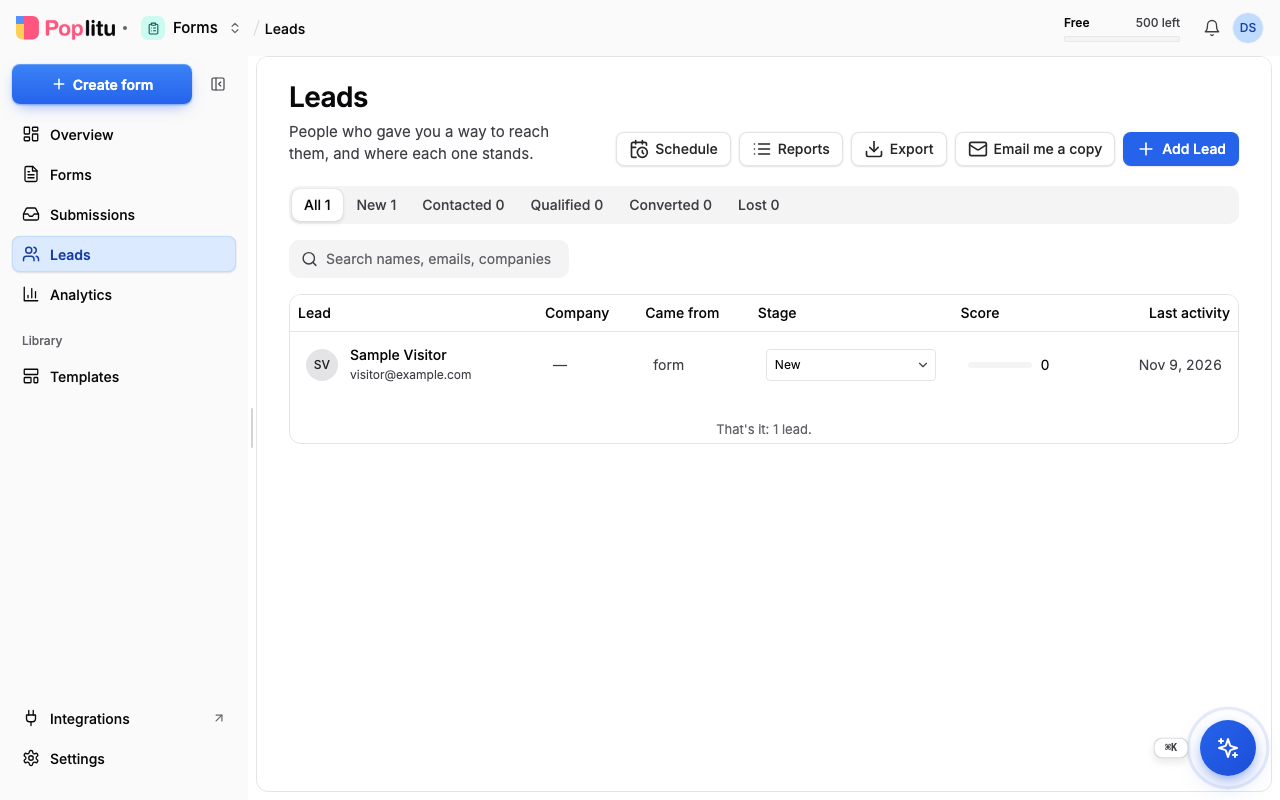
Open the link in a new tab, fill the form in and send it. Then open Leads on the dashboard. Your test is listed there, with the name or email you gave.
If something is wrong
- The link does not open. Only a published form has a working link. Check the form is under Live, not Drafts.
- Nothing under Leads. A lead is made from a submission that names a person. Make sure the form asks for an email address, or a name.
- You want to change a live form. Choose Edit on its card. It opens a new draft made from the live form; publish it when you are ready.
Next
Frequently asked questions
Why is nothing listed under Leads?
A lead is made from a submission that names a person. Make sure the form asks for an email address or a name.
Why does my form's link not open?
Only a published form has a working link. Check that the form is under Live and not under Drafts.
How do I change a form that is already live?
Choose Edit on its card. It opens a new draft made from the live form, and you publish it when you are ready.