See and export your results
Find your form's leads and analytics, see where people stop, and download your leads as a CSV file.
Two places answer two questions. Leads tells you who answered. Analytics tells you how a form is doing.
Your leads
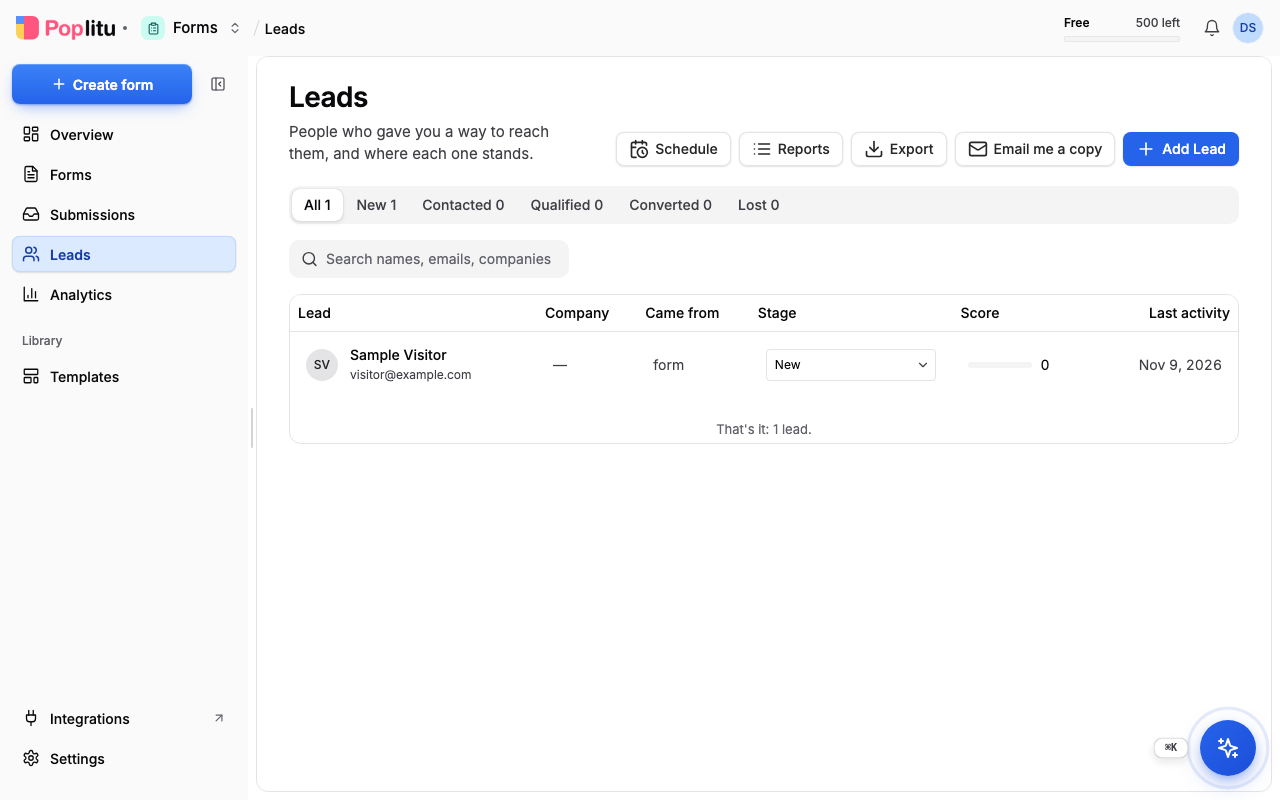
Open Leads on the dashboard. Everyone who submitted a form and gave their details is listed.
- Search by name, email or company.
- Each lead has a Stage, which you can change as you follow up.
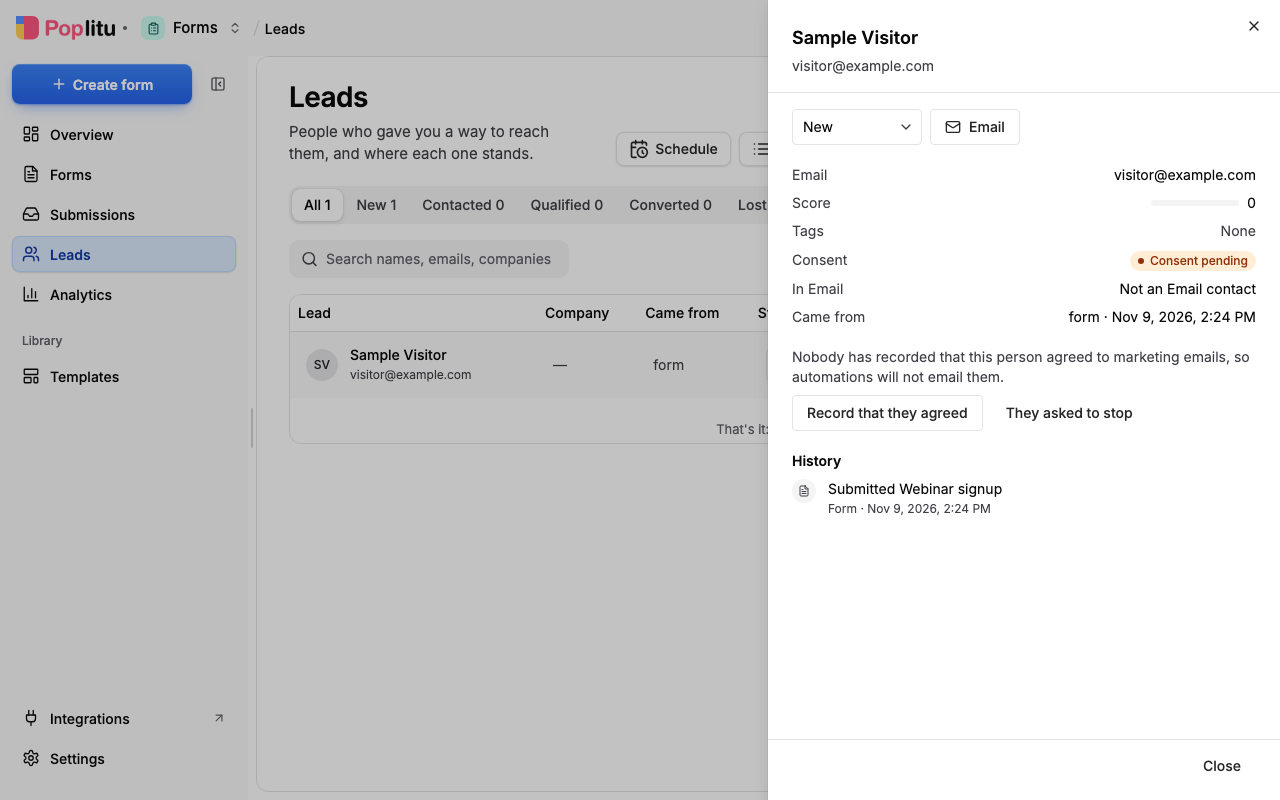
- Open a lead to see who it is, where they came from, their consent status, and a history of what they did.
- Add Lead records someone you met somewhere else.
- Export downloads your leads as a CSV file. If you have none yet, it tells you there is nothing to export.
Your analytics
Open Analytics on the dashboard, or choose Analytics in the menu on a live form's card. Pick a period, then a view:
- Overview: the funnel from Viewed to Started to Submitted to Became a lead, and Where people stop.
- Form performance: one form or all of them, with visits, abandoned, the typical time to submit, devices, and each field on its own row.
- Events: a list of what happened, which you can search and filter.
Export Report exports your analytics.
Be told about new answers
Open the menu on a live form's card and choose Notification settings to choose who hears about new submissions.
Next
Frequently asked questions
Can I export my leads?
Yes. Export on the Leads page downloads your leads as a CSV file.
How do I see where people stop filling in a form?
Open Analytics and choose Overview. It shows the funnel from Viewed to Started to Submitted to Became a lead, and where people stop.
Can I be told when someone submits a form?
Yes. Open the menu on a live form's card and choose Notification settings to choose who hears about new submissions.
Can I add a lead who did not come through a form?
Yes. Add Lead records someone you met somewhere else.